
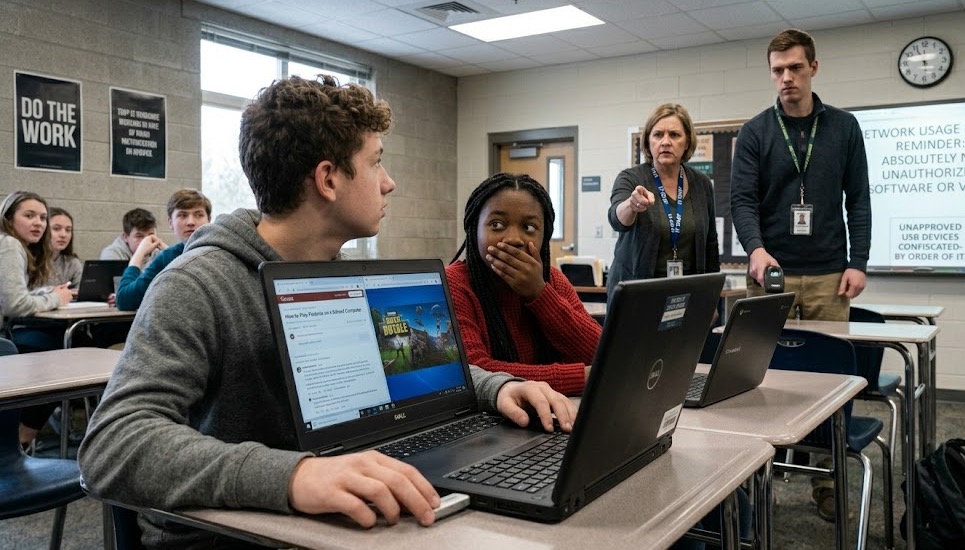
As long as there are multiplayer games and school-issued laptops, there will be a continuous battle between students looking for a quick gaming session and the IT administrators trying to stop them. Across online forums like Reddit and Quora, students frequently swap tactics on how to download and play the wildly popular battle royale game, Fortnite, on locked-down school computers.
Based on discussions across various tech and gaming communities, here is a look at the most common methods students are using to bypass restrictions—and why IT professionals warn that it is rarely worth the risk.
1. The USB Drive Trick
One of the most persistent hurdles for students is the lack of “Administrative Privileges” on school-issued Windows laptops, which prevents them from installing the Epic Games Launcher. To circumvent this, some users suggest a hardware workaround: the USB method.
By downloading Fortnite on a home PC, students locate the game’s installation folder and copy it entirely to a high-capacity USB flash drive. Once at school, they plug the drive into the school computer, transfer the files to the local drive, and launch the game directly via the fortnite.exe file. This bypasses the need to formally install the software through Windows, though it still requires a machine powerful enough to run the game.
2. Xbox Cloud Gaming
For students issued low-spec Chromebooks—which natively cannot run Fortnite smoothly—the conversation has shifted toward streaming. Reddit users heavily recommend Xbox Cloud Gaming as the most viable solution. By streaming the game through a web browser, the school computer doesn’t need high-end processors or graphics cards, nor does it require any application installation. If the cloud gaming website isn’t blocked by the school’s firewall, students can play instantly.
3. Proxies, VPNs, and Hotspots
Even if the game is accessible locally, school Wi-Fi networks usually block gaming servers. To unblock the connection, students rely on various network-bypassing techniques:
- Web Proxies: Students often search for proxy links (sometimes cleverly hidden inside shared Google Docs) or use residential proxy networks to mask their traffic.
- VPNs: While downloading a standard Virtual Private Network (VPN) app is often blocked by administrative controls on Chromebooks, some students attempt to use browser-based VPN extensions to reroute their connection.
- Mobile Hotspots: The most reliable method discussed to avoid the school’s firewall entirely is tethering the school laptop to a personal smartphone’s cellular hotspot.
The Reality Check: IT is Watching
Despite these creative workarounds, educational IT professionals monitoring these forums have a stark warning: they can see almost everything.
Corporate and school IT administrators note that managed Chromebooks and Windows PCs are equipped with built-in monitoring tools and strict firewalls. Attempting to run unauthorized .exe files, flooding the network with proxy traffic, or trying to install VPNs flags the system. Furthermore, many school devices are configured to block VPN profiles and disable the use of non-school email domains.
Ultimately, while the online community continues to share cloud gaming links and proxy servers, the consensus from the tech side is clear: attempting to play Fortnite on a managed device is highly likely to result in the computer being confiscated or the student facing disciplinary action.
Also read: The Ultimate Guide to Roblox Unblocked: How to Play Anywhere Safely